Chat
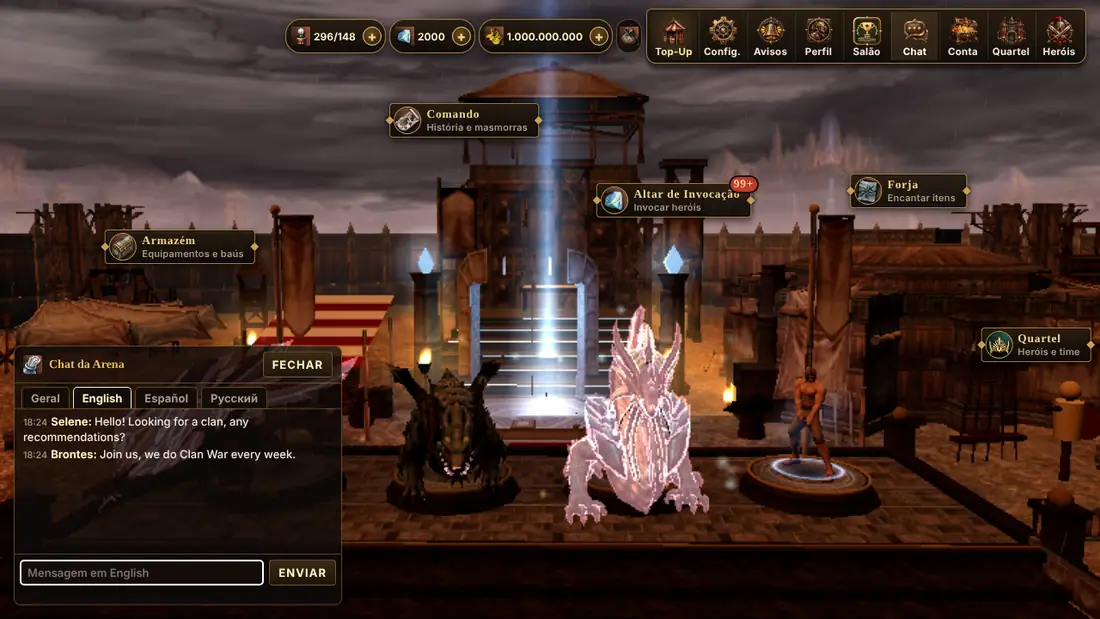
The Aden Arena chat opens with the Chat button at the top of the screen. It has tabs, and each tab is a channel with its own list of messages.
Tabs and channels
| Tab | What it is for |
|---|---|
| General | The default channel. This is also where hero summon announcements (★5 or higher) and the heroes and items that players show in chat appear. |
| English | Channel for chatting in English. |
| Español | Channel for chatting in Spanish. |
| Русский | Channel for chatting in Russian. |
| Clan | Your clan chat. The tab only appears for players who are in a clan (see Clan). |
The names of the language tabs are always English, Español and Русский, whatever the game language is.
How it works
- The language tabs are separate channels: what is written in English only appears in English. Each channel has its own list and keeps the last 100 messages.
- Everyone can use every channel. The game language limits nothing: any player can open any tab, read it and write in it.
- You write in the tab that is open, under your nickname. On your first message, the game asks you to choose a nickname.
- The rules are the same in every tab: up to 200 characters per message and 3 seconds between one message and the next. The interval applies to the whole account, not per tab.
- A player muted by the team is muted in all channels.
- New messages in a tab you are not viewing show a bubble with the number on the tab, and the Chat button adds up the new messages.